
Case study
Electronic registers for Imperial College teaching
Imperial relied on heavyweight Excel workbooks—and fragile shared drives—to track who showed up, who needed follow-up, and how attendance trends informed quality conversations. Scaling that model across faculties, modalities, and professional services risked silent inconsistencies.
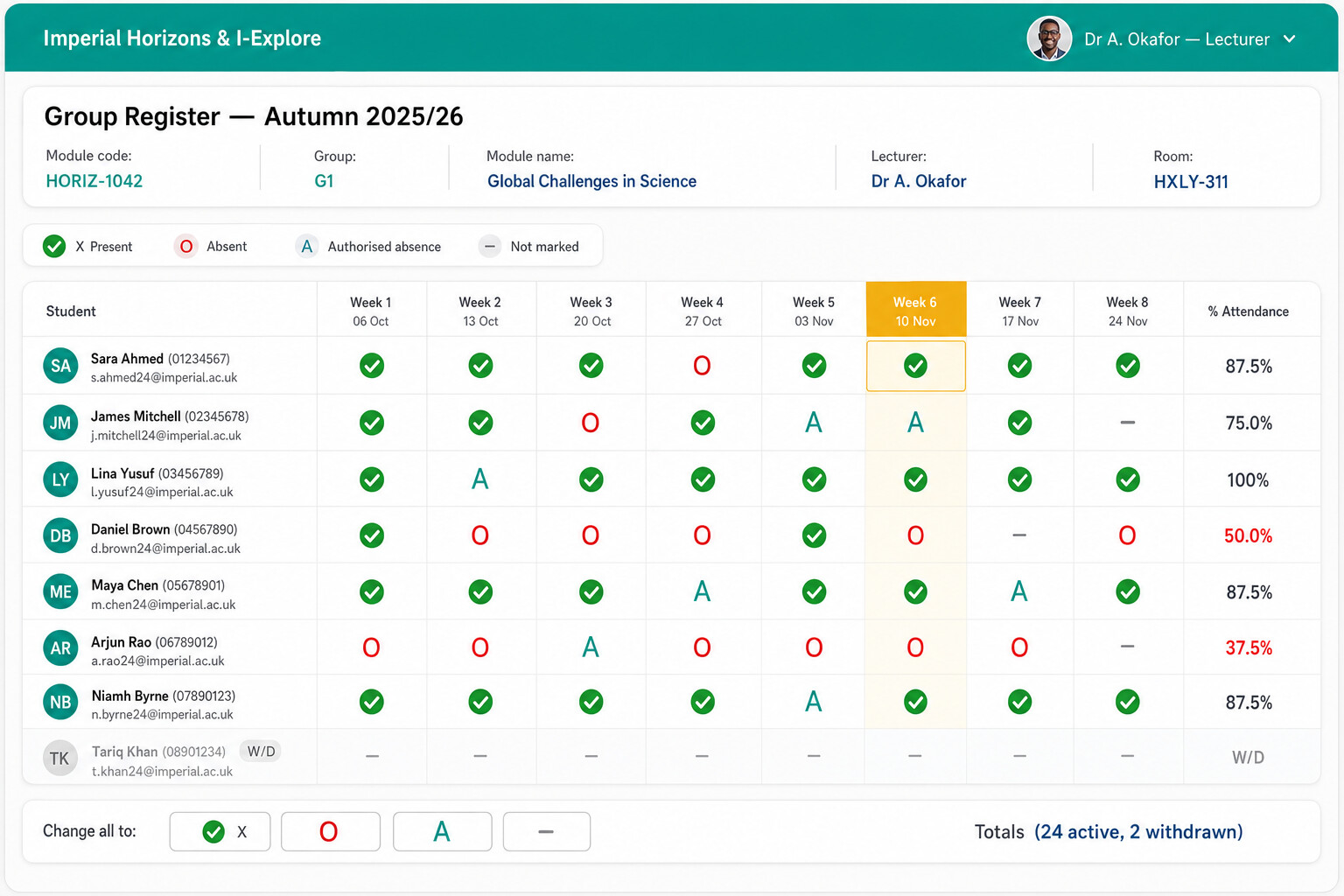
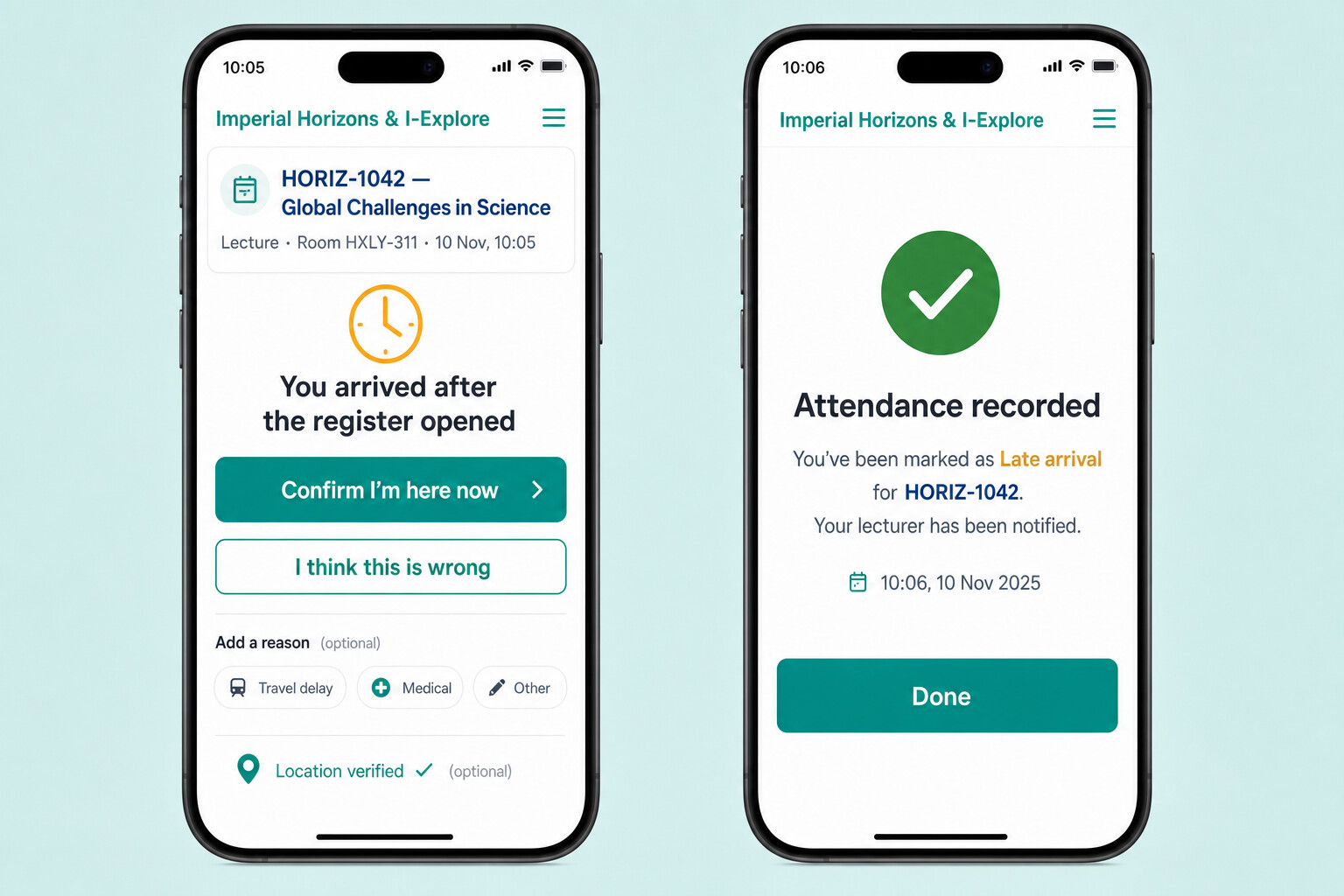
Together we replaced the spreadsheet scaffolding with an electronic register tuned to lecturers: unobtrusive capture at the podium, safeguards for withdrawals and mitigating circumstances references, structured exports for faculty offices, all without turning every academic into a spreadsheet wrangler after each class.
Why Excel reached its ceiling
- Version drift when multiple departments iterate templates in isolation.
- Friction reconciling overlapping modules, swaps, cancellations, hybrid attendance codes.
- Operational stress when governance or external reporting suddenly requires auditable timelines.
What “good” looks like live
Delivery focused on lecturers first: resilient browser experiences, forgiving flows on flaky Wi‑Fi, optional offline buffering patterns where teaching sites demand them, respectful prompts for safeguarding notes, parity between desktop podium and circulating tablet usage.
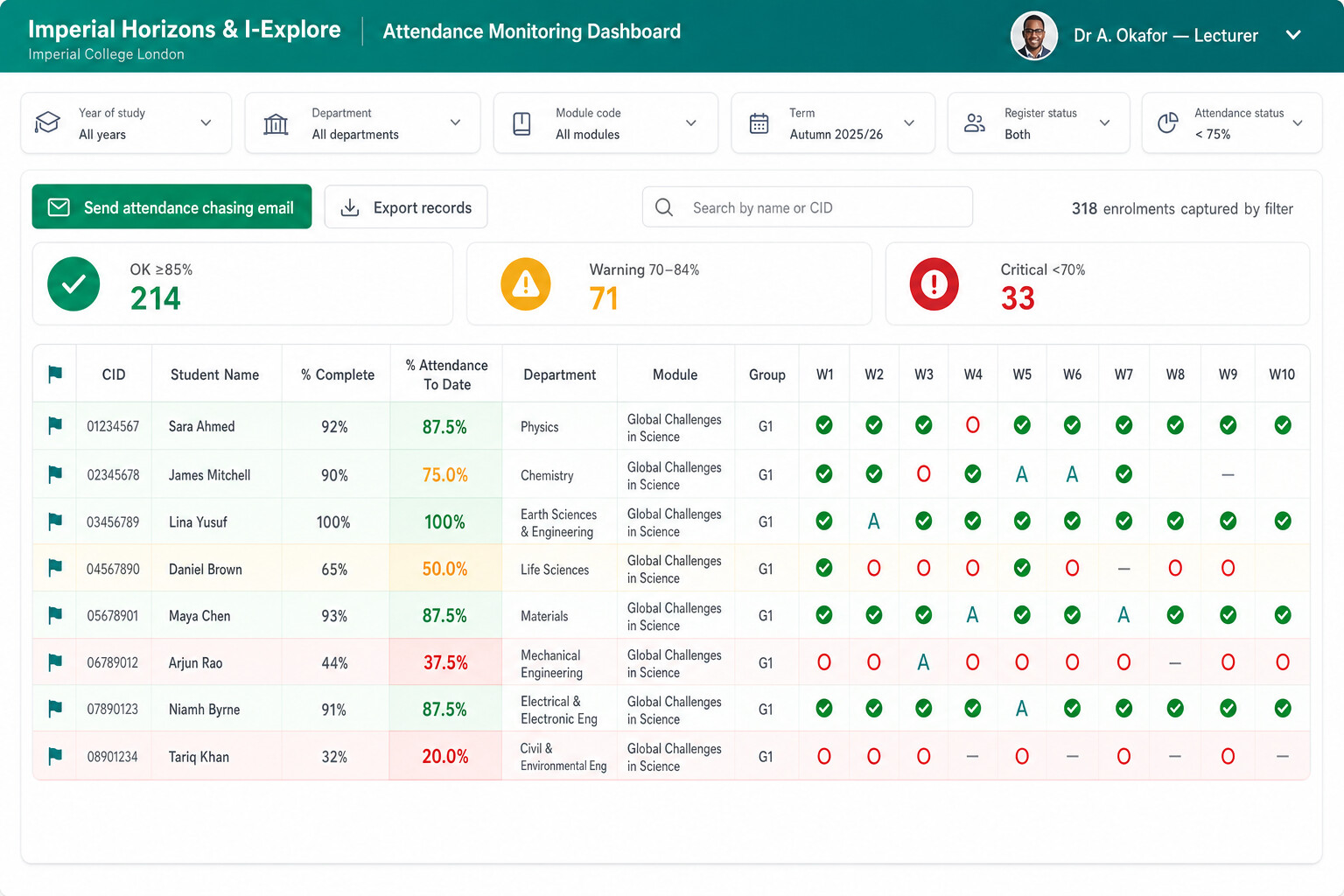
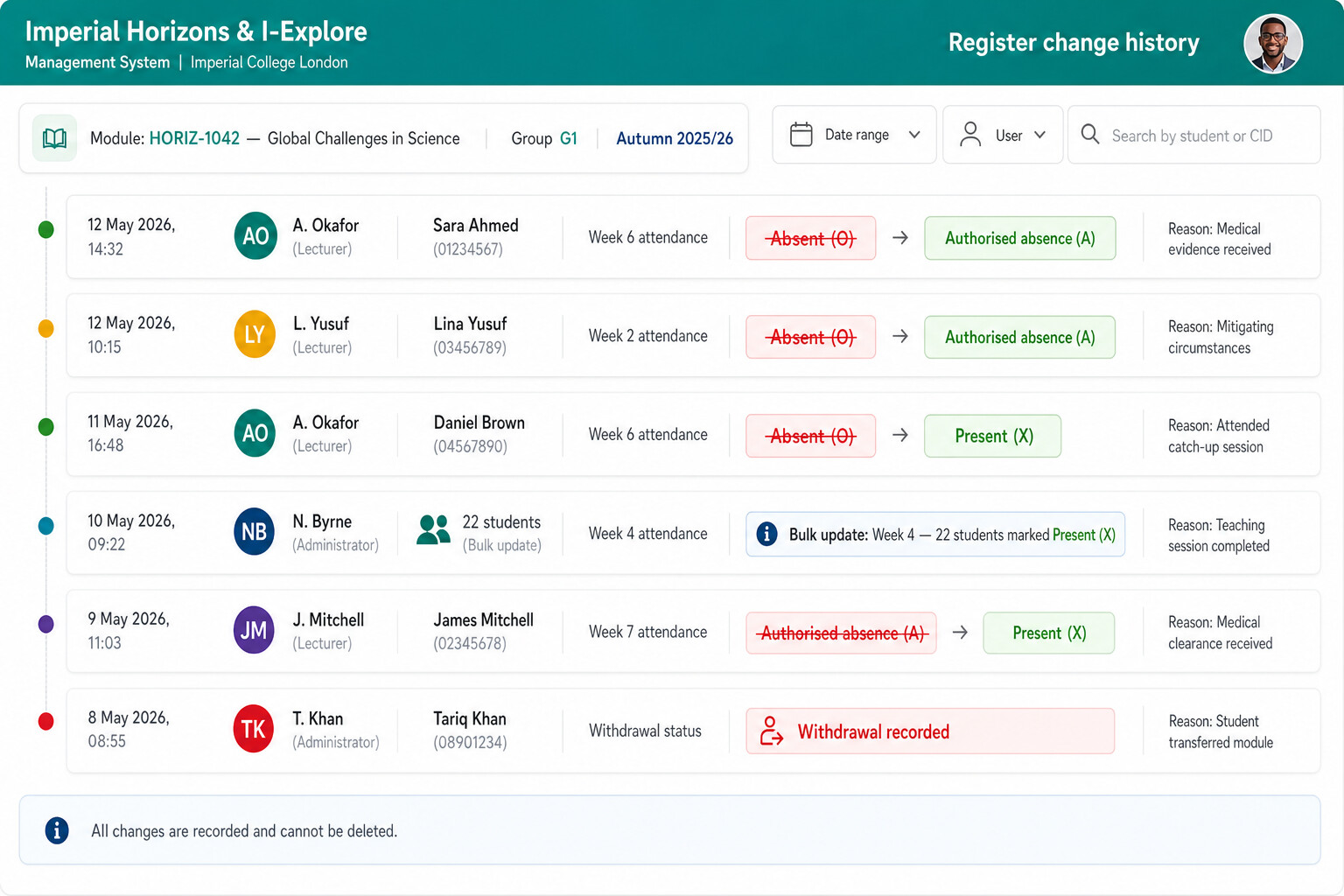
Faculty oversight & governance
Professional services monitor cohort risk, trace late interventions, and package evidence for boards—without flattening nuance into anonymous CSV dumps.
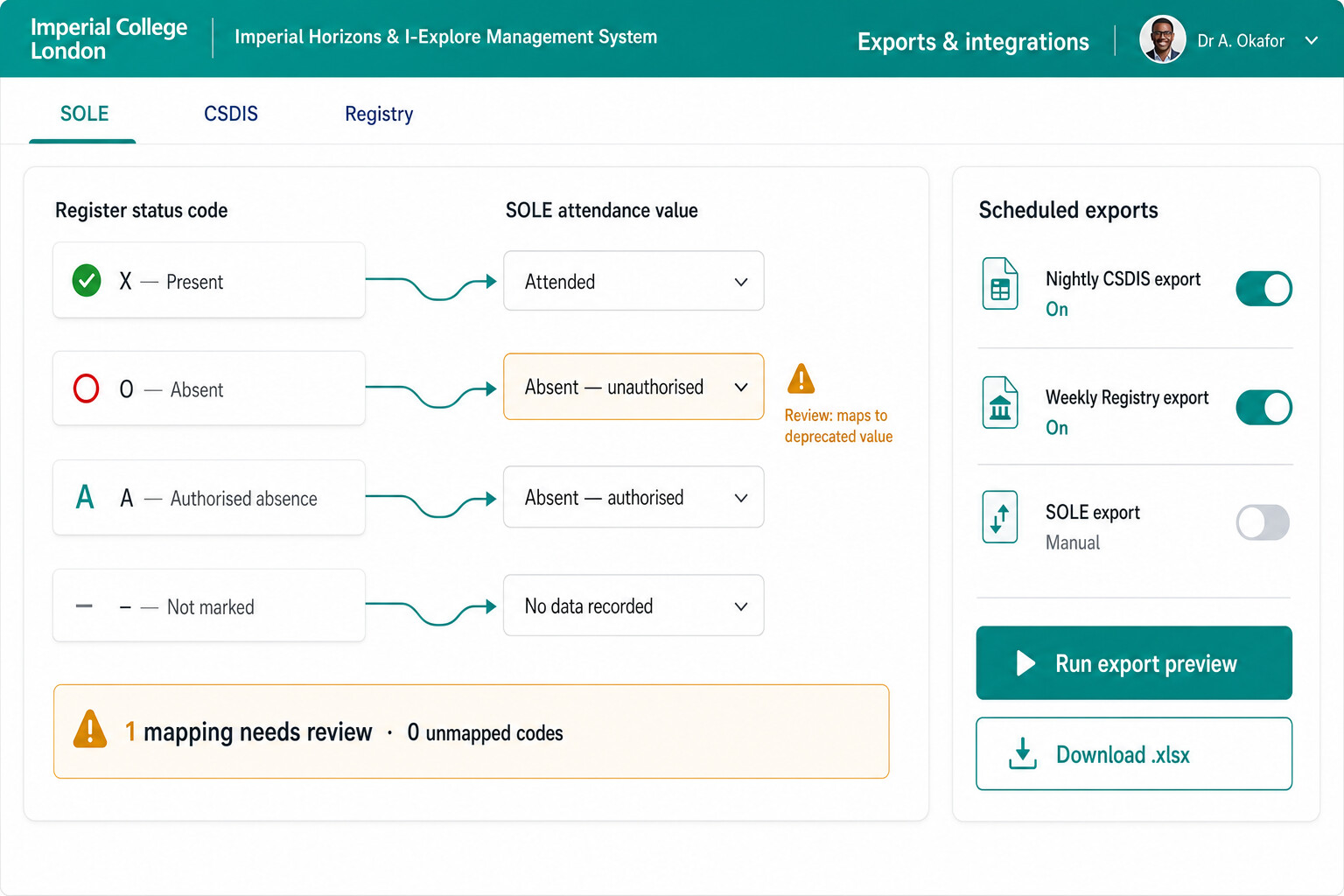
Workflows, exports, upstream data
Whether you feed timetabling masters, student records, or downstream analytics warehouses, the register must stay the honest broker: consistent codes, explainable transforms, and controlled exports for teams who still live in Excel for certain reconciliations.
What we'd explore first Week 1–2 discovery · data you already have · sign-off criteria
A register project usually begins with lecturers and faculty offices, not IT diagrams. We would map the human workflow first, then the integrations.
-
Weeks 1–2: Discovery
- How attendance is captured today—in the room, after the fact, or not at all
- Withdrawals, mitigating circumstances, and gateway lectures that break simple rules
- Who must export what, and when academic governance gets nervous
-
Data you already have
- Spreadsheet registers and faculty office consolidation habits
- Central student system fields you can rely on—and gaps that need bridging
- Timetable, room, and cohort data that should drive the register view
-
What “good” looks like for sign-off
- Unobtrusive capture at the podium without turning academics into spreadsheet wranglers
- Structured exports faculty offices can defend under audit
- A phased path off Excel without a big-bang outage for teaching weeks
This is illustrative of how we begin—not a fixed statement of work. Every organisation gets a written discovery summary before build commitments.